MP3Juice: free MP3 download
MP3Juice lets you search for a song or artist, listen to a short preview and download it as an MP3 file, free and without an account. Type a title in the box below to start.
Trending songs right now
How to download MP3 with MP3Juice
- 1
Search for a song
Type a song title, an artist or both into the search box and press Search. A list of matching tracks appears in a second or two.
- 2
Open the song page
Tap the track you want. The song page shows the title, the artist and a preview player, so you can check it is the right version before you download.
- 3
Download the MP3
Choose MP3 (or MP4 audio or MP4 video) and press Download. The conversion tool prepares the file, which can take a few seconds for long or new tracks, then saves it to your device.
Browse music by genre
Genres
The Android app
Search, play and organize your music in the official app, with a library for liked songs and your own playlists.
See the app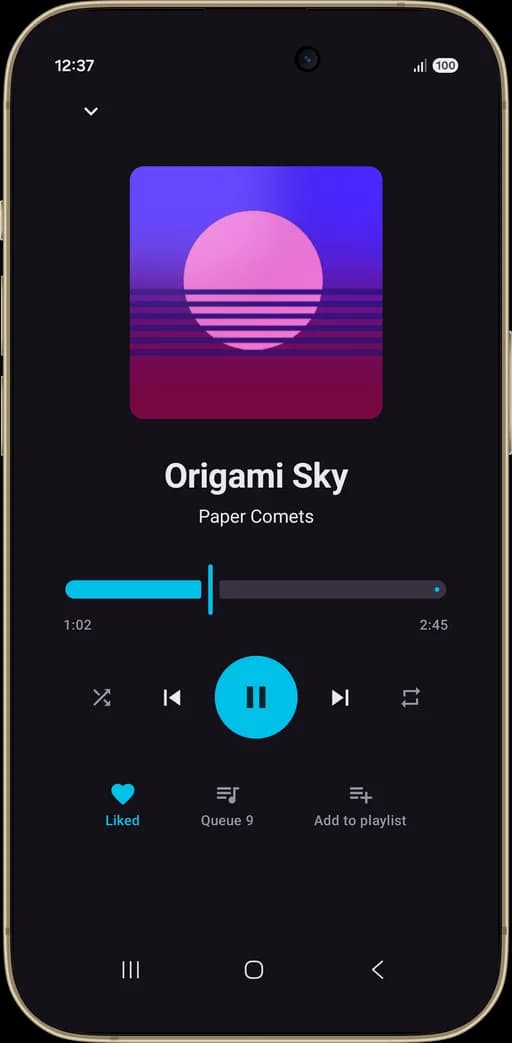
What is MP3Juice?
MP3Juice is a free music search tool that turns a song into an MP3 file you can keep on your phone or computer. You search by title or artist, pick a result, listen to a short preview, choose a format and press Download. There is no account to create and nothing to install, because everything runs in the browser.
MP3 is the default format, and it plays on almost any device: Android phones, iPhones, laptops, car stereos and older MP3 players. The download panel also offers MP4 audio, an AAC file that many phones and players handle well, and MP4 video if you want the clip as well as the sound. For a song you can play offline, MP3 is usually the simplest choice.
Finding the right version is where most searches go wrong. Add the artist name to the song title, and add a word like "live", "remix" or "acoustic" if you want a specific recording. The preview player on each song page lets you check the audio before you download, so you do not end up with a fan cover or a long video intro. If you only know the mood you are after, the genre pages list popular songs in pop, hip hop, amapiano, K-pop, Turkish pop and seven other styles.
MP3Juice does not store audio on its own servers. When you press the download button, an embedded third-party conversion tool fetches the track and prepares the MP3 or MP4 file you picked. Most songs are ready in a few seconds. Very long uploads take a little longer, and videos over 30 minutes are not supported.
You can use the MP3Juice music downloader in any modern browser. On Android the file goes to your Downloads folder. On iPhone, Safari saves it to the Files app, and our iPhone guide shows how to move it into a music player. If you prefer an app, there is also an official one for Android.
A free MP3 download is only fair when the music is yours to keep. Use MP3Juice for tracks you have the right to download: copyright-free music, songs the artist shares for free, your own uploads, or content you may copy for personal use. If you are a rights holder and see your work here, our DMCA page explains how to contact us.
Guides and how-tos
- How to Download MP3 Files with MP3Juice (Step by Step)A clear step-by-step guide to downloading MP3 files with MP3Juice on phone or computer: search, preview, save, and find the file on your device afterward.
- MP3Juice on iPhone: Download and Find MP3s in SafariHow to use MP3Juice on iPhone and iPad: download MP3s in Safari, find them in the Files app, play them offline and move them into your music library.
- Is MP3Juice Safe? An Honest Look at the RisksIs MP3Juice safe to use? What the site does and doesn't do, where the real risks come from (ad pages, fake buttons, unknown APKs) and how to stay safe.
- MP3Juice Not Working? Fixes for Common ProblemsMP3Juice not working? Fixes for empty search results, downloads stuck on preparing, long videos, blocked tabs, missing files, iPhone downloads and ad blockers.
Questions and answers
How do I find the right version of a song?
Type the artist and the song title together, then add a word such as "live", "remix" or "acoustic" if you want a specific recording. Play the preview on the song page before you download to make sure it is not a cover or a fan edit.
Can I use MP3Juice without installing anything?
Yes. The site runs in any modern browser on a phone, tablet or computer, so there is no program or extension to install. An official Android app is also available if you want a music player with playlists.
What is the preview player on MP3Juice for?
It plays the track on the song page so you can check the title, the singer and the sound before you press Download. The player loads only after you tap play.
Does the site keep a copy of the songs I download?
No. MP3Juice hosts no audio files. The embedded conversion tool prepares the file when you ask for it, and your browser saves it straight to your own device.
Which devices can play the downloaded files?
Almost all of them. MP3 is supported by Android phones, iPhones, Windows and Mac computers, most car stereos and older portable players, so you rarely need to convert the file again. MP4 audio and MP4 video files play on current phones and computers, though some older car stereos and players only read MP3.
Can I save a whole album or playlist in one go?
No. Downloads work one track at a time, and uploads longer than 30 minutes are not supported. Search for each song on its own and download them one after another.
What kind of music am I allowed to download?
Stick to music you have the right to keep: copyright-free tracks, songs the artist offers as free downloads and your own uploads. The rules differ from country to country, so check them if you are unsure.